01
Farm-wide map
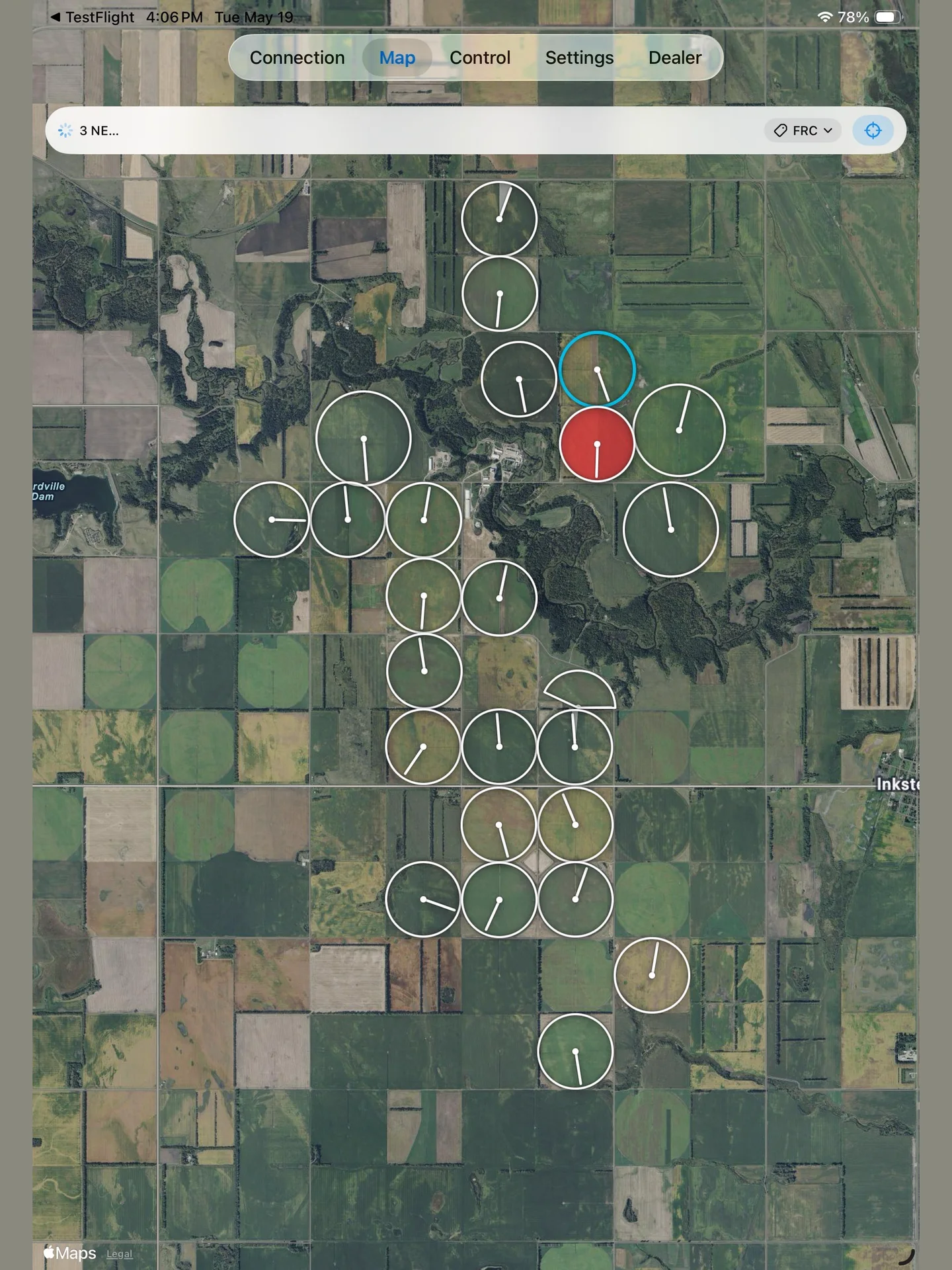
See every configured pivot in its real field position, with live or last-known heading and operating state.
 Pivot Control PLCby Rite ControlGet the app
 Monitor and control center-pivot irrigation systems directly from your phone, tablet, or Mac—with live maps, purpose-built controls, and no generic HMI layer.
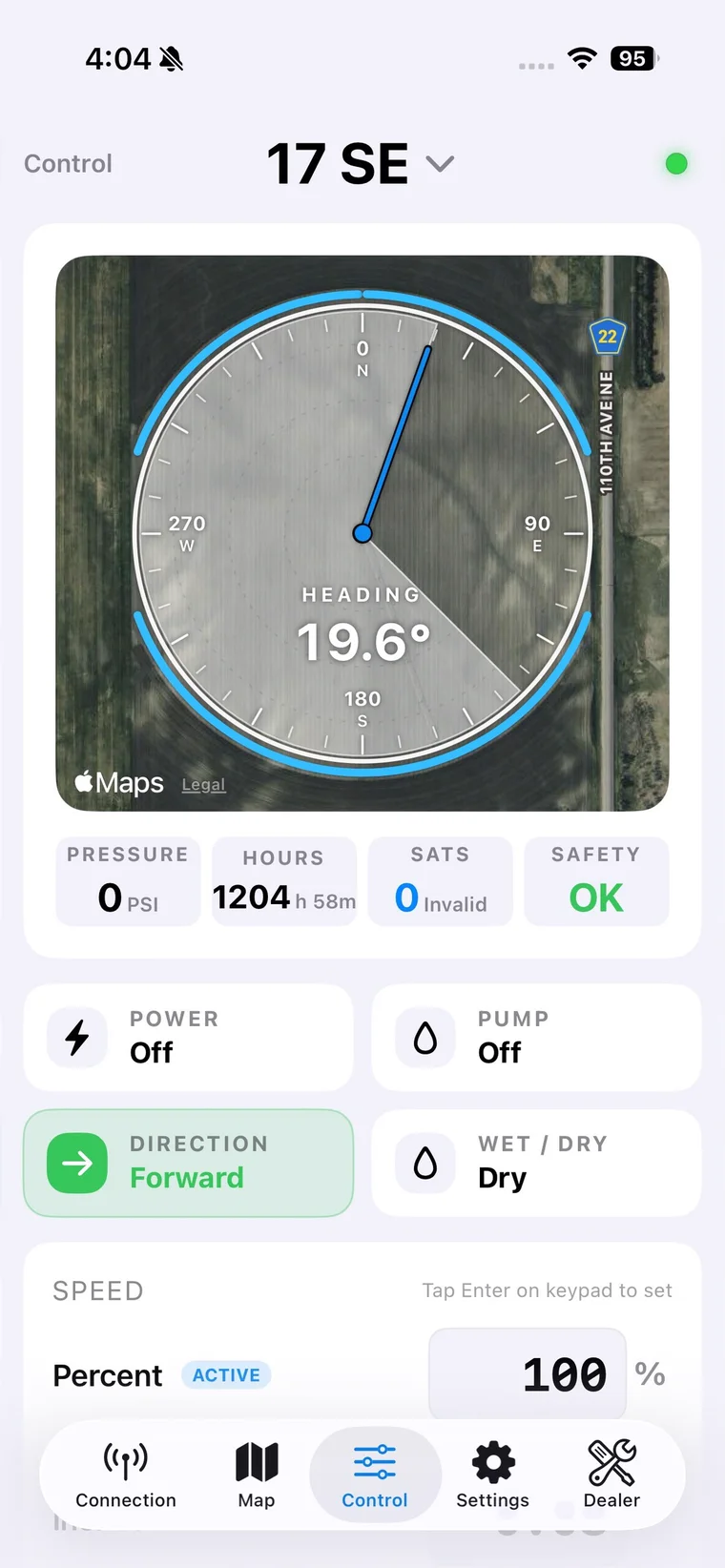
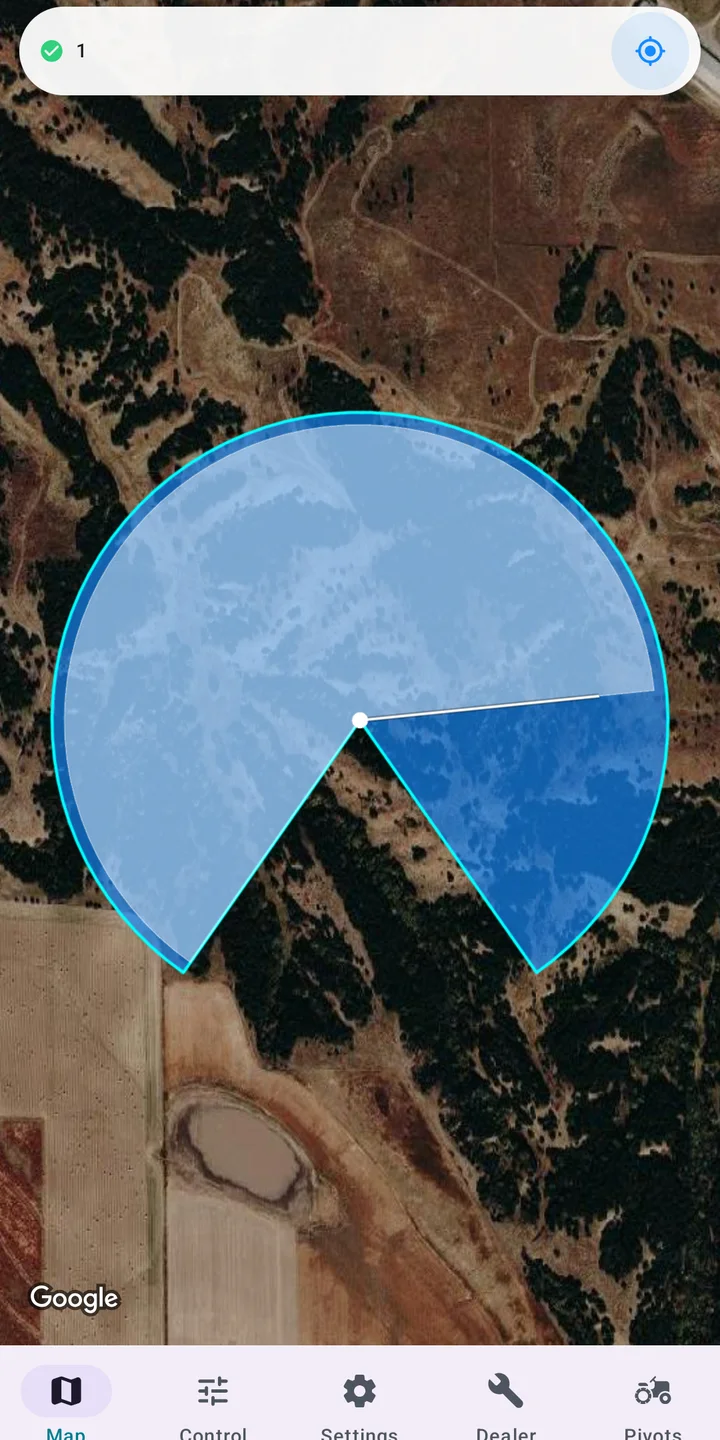
Pivot Control PLC turns the familiar geometry of your fields into a live operating view. Filter by farm, spot a stopped or tripped machine, and open the exact pivot that needs attention.
Every screen is designed around the way irrigation operators actually work—not around a generic automation toolkit.
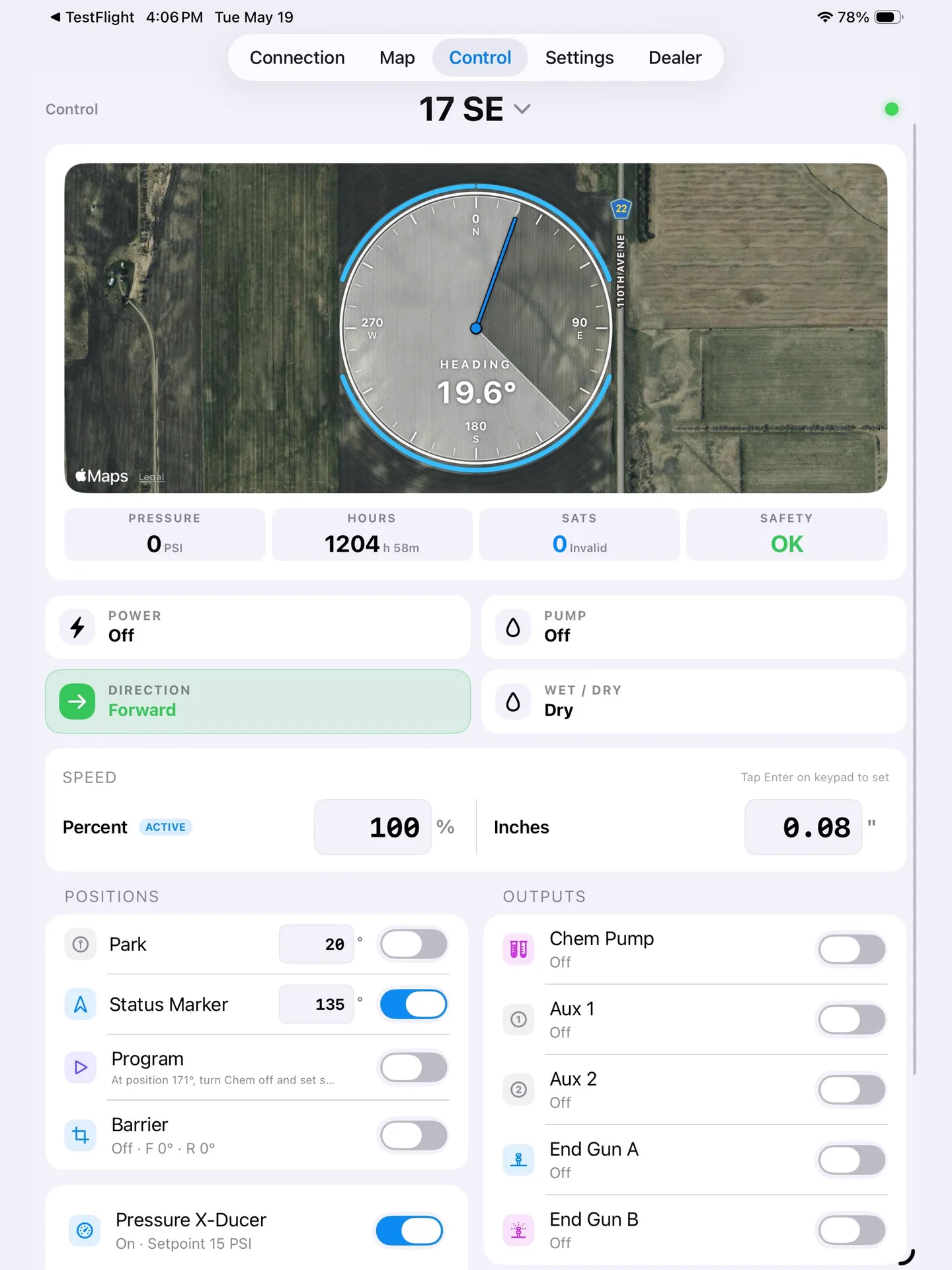
Fast enough for a quick check from the pickup. Deep enough for commissioning, diagnostics, and PLC replacement.
See every configured pivot in its real field position, with live or last-known heading and operating state.
Power, pump, direction, speed, application depth, park, programs, barriers, end guns, and pressure—without generic HMI clutter.
Communicate straight with supported Siemens S7 and Allen-Bradley MicroLogix controllers over the network.
Keep pivot configurations available across your devices with iCloud on Apple platforms or Firebase on Android.
Give operators and trusted users the access they need while keeping farm organization and permissions clear.
Save controller settings and push them back after a PLC replacement instead of rebuilding the configuration from memory.
Pivot Control PLC talks to the controller—not to a browser session or remote desktop. Connect over a reachable network and keep the control path where it belongs.
No gateway PC · No browser runtime
One purpose-built operator experience, tuned for the services and devices in each ecosystem.
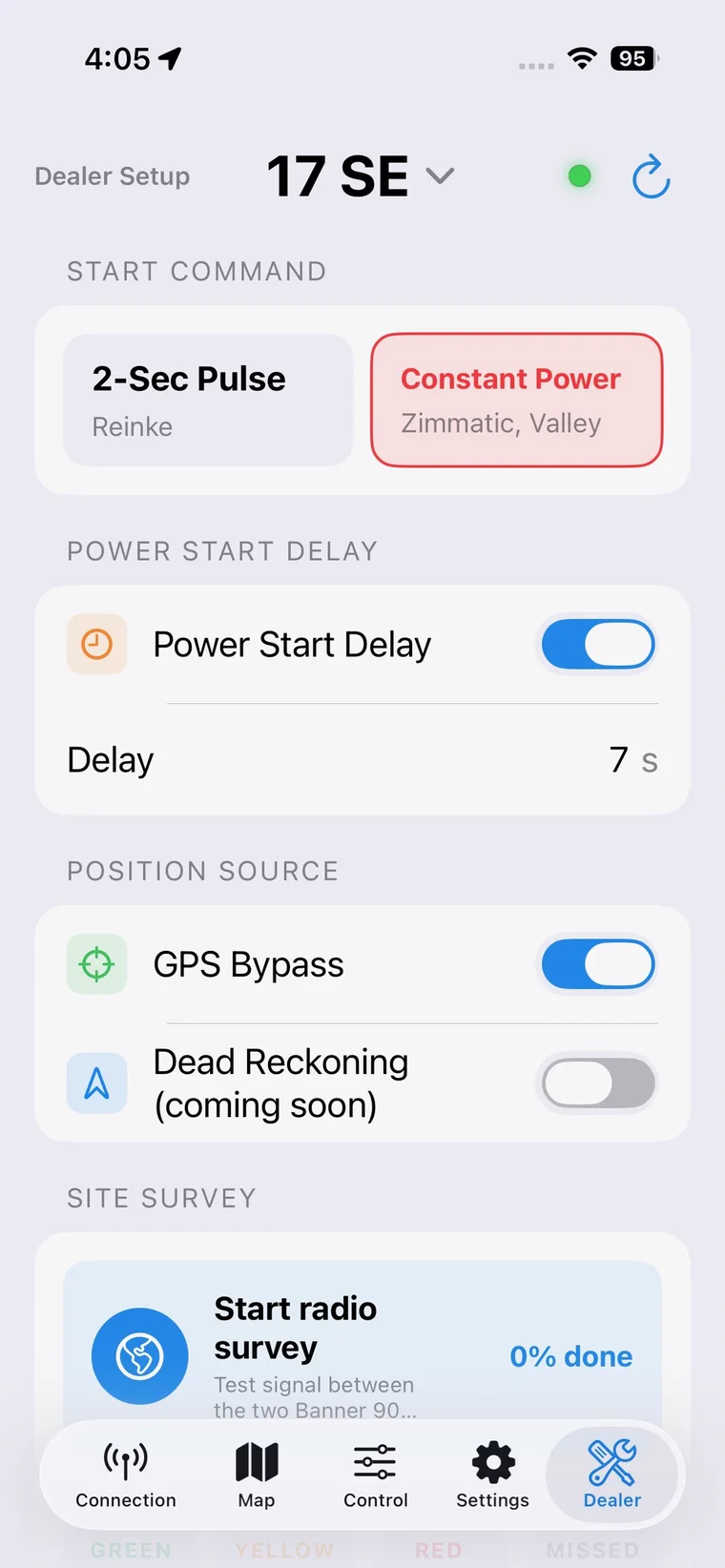
Private iCloud configuration sync, sharing, JSON backup, push alerts, and an always-on Server mode watcher.
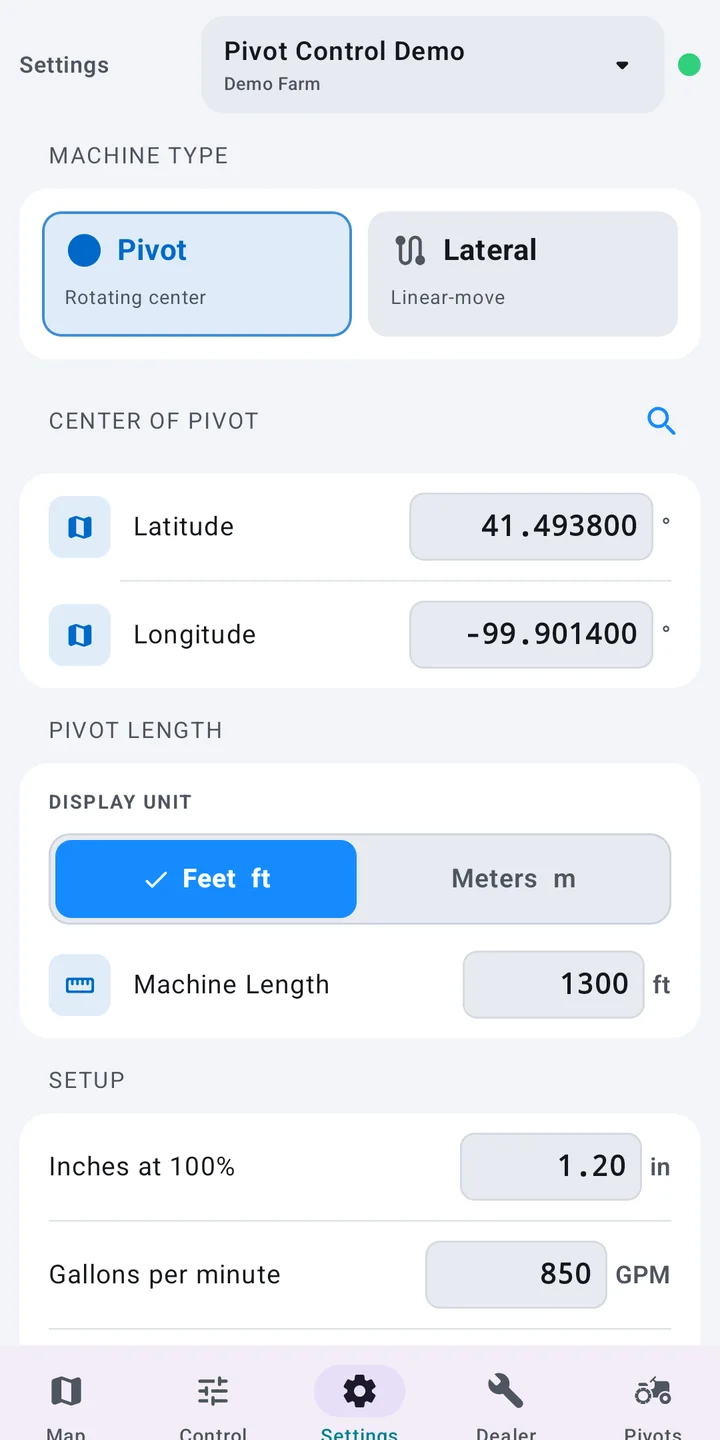
Local-first operation with optional Google account sync, farm roles, sharing, settings backups, and a safe offline demo.
On Apple devices, Server mode can keep watch over your farms and send a push notification for safety, power, or low-pressure events—even when the operator app is closed.
Push-alert workflow currently available on Apple platforms.Pivot Control PLC connects directly to supported Siemens S7 controllers using ISO-on-TCP and Allen-Bradley MicroLogix controllers using EtherNet/IP PCCC. The PLC must use the compatible Pivot Control tag layout.
No gateway computer is required for live control. Your phone, tablet, or Mac communicates directly with the PLC over a reachable local or remote network. Optional cloud services handle configuration sync, sharing, backups, and alerts—not the live control path.
Yes. Add as many configured pivots as your operation needs, group them by farm, and scan their current or last-known state from the map.
The Apple version supports iPhone, iPad, and Mac. The Android version supports compatible Android phones and tablets running Android 8.0 or later.
The Android app includes a safe offline demonstration mode. Apple App Store screenshots and the product views on this page show the live control, map, and dealer interfaces.
Download Pivot Control PLC for the devices your operation already uses.